
Privacy-first
See who unfollowed you on Instagram — without sharing your password
Use your official Instagram export (ZIP). On mobile, you can schedule recurring exports to cloud storage (e.g., Google Drive). Set it once, then import the latest export anytime. Built for very large exports (up to ~1.5M connections) — everything is processed locally on your device. Everything runs locally in your browser (no login, no automation). SecureFollow is a web app (securefollow.app). We never ask for your Instagram password.
Official site: securefollow.app
New: Import directly from cloud storage (e.g., Google Drive / Files). Skip downloading the ZIP to your phone. View guide View guide
See who unfollowed you by comparing two official exports (no password).
You'll log in on Instagram, not here. SecureFollow never asks for your password.
How it works
1
Download your official export (ZIP)
2
Open the ZIP in SecureFollow
3
See unfollowers, not following back, and mutuals
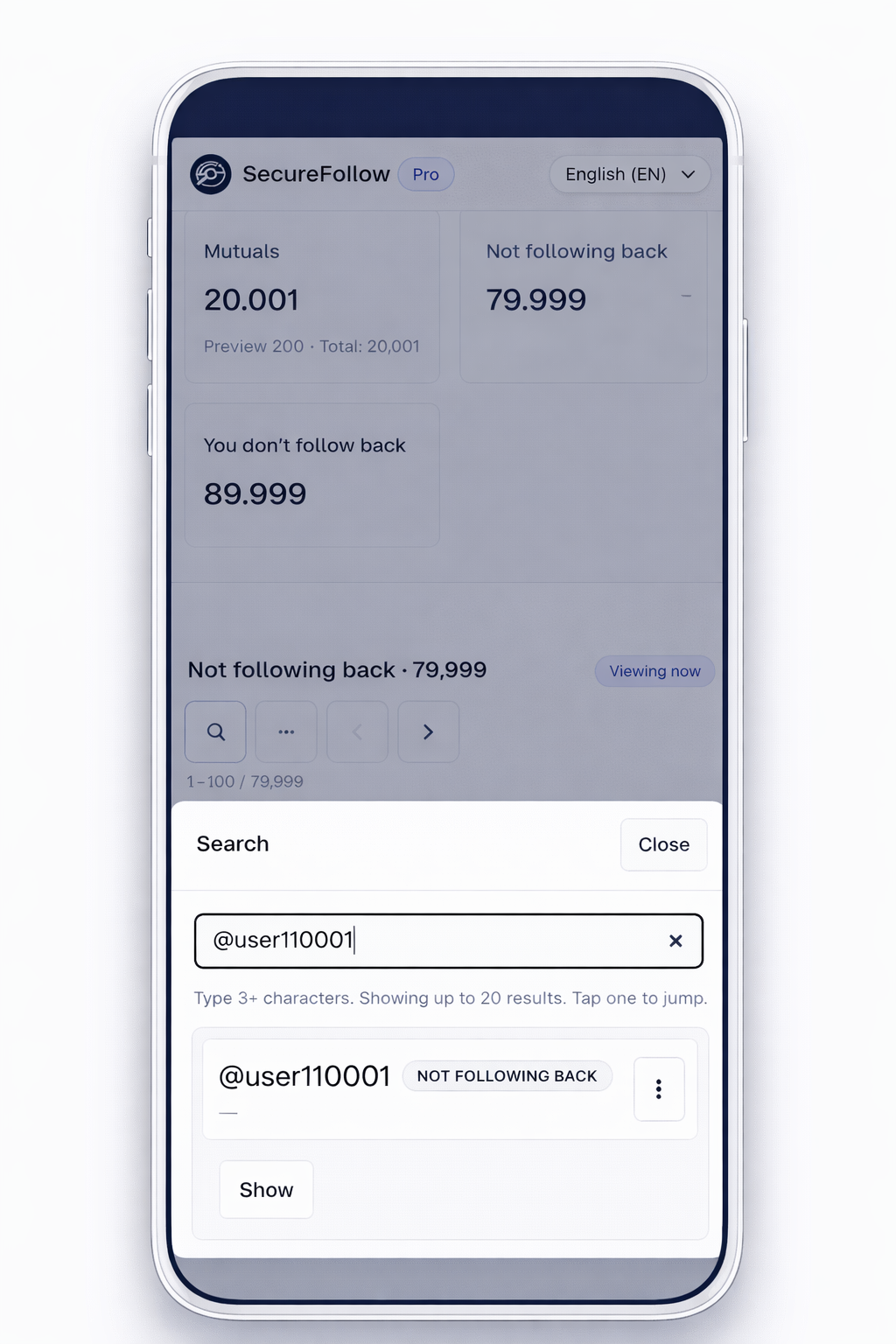
Smart search: type part of a handle and jump to the result
Find accounts in seconds - even in huge lists. SecureFollow supports partial matches and jumps to the exact page.
- Partial (substring) search - no need to remember the exact @
- Jump to result - opens the right page and highlights the user
- Works in Snapshot, Diff and Activity
- Privacy-first: no login, just your ZIPs
Scheduled exports (mobile)
Schedule daily exports to cloud storage (e.g., Google Drive) and import directly from Drive/Files.
Open guideDiff (compare exports)
Compare two exports and see what changed between dates (new followers & unfollows).
Learn DiffSmart search + jump
Partial handle search plus jump to the exact result in Snapshot, Diff, and Activity.
Try searchSee the workflow in 60 seconds
See the flow: download the official ZIP, open SecureFollow, and compare with Diff.
If you prefer, you can also watch it on YouTube.
Having trouble playing the video?

Snapshot + Diff
Save a snapshot and compare by dates (Diff)
Take a snapshot of followers/following and compare it with another export to see changes (unfollowers, new followers, mutuals).
Snapshot results
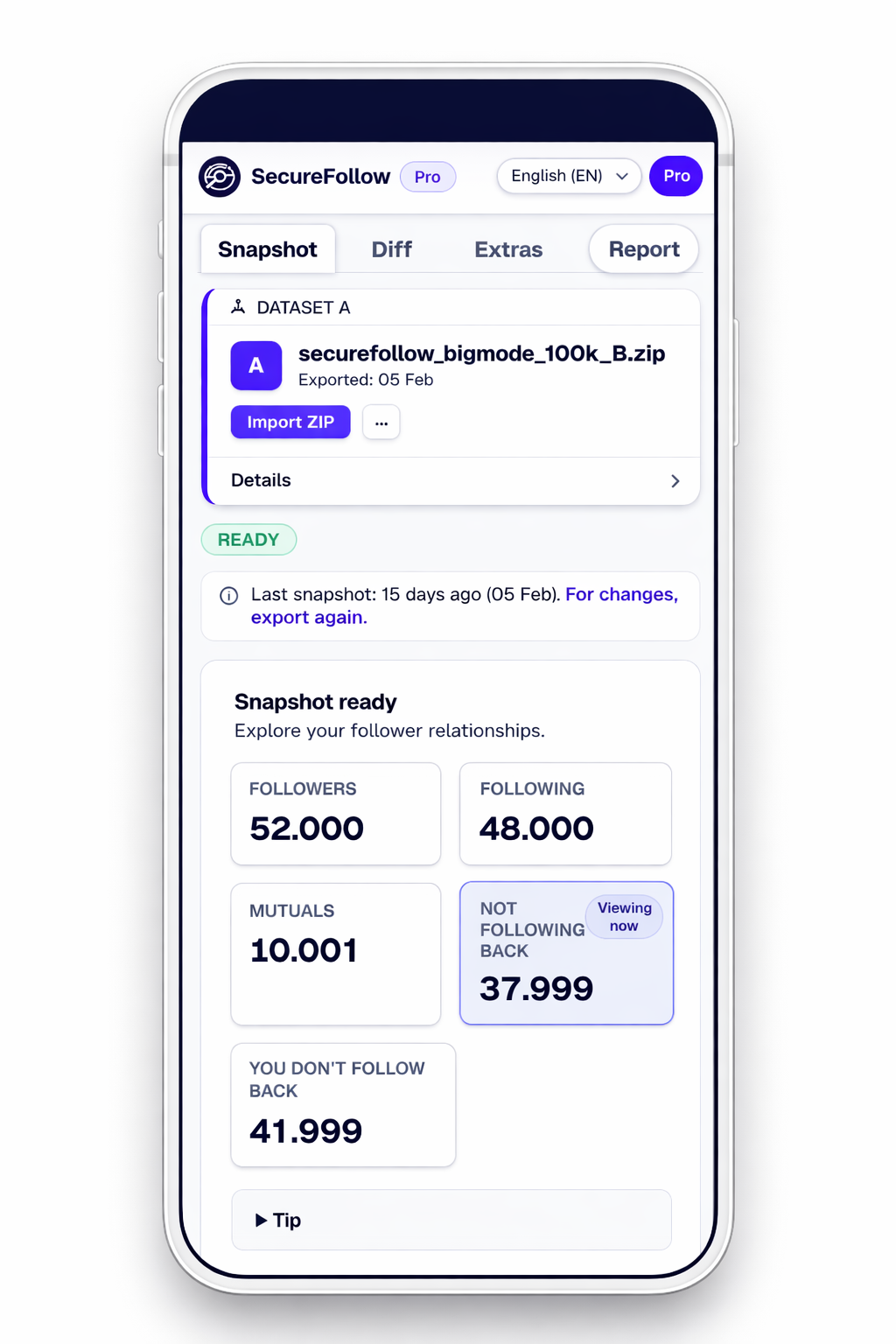
Snapshot turns your ZIP into clear relationship lists.
- Spot who doesn't follow you back and your mutuals.
- Search an account and review it quickly.
- Clear results without connecting your account.
Diff between two exports
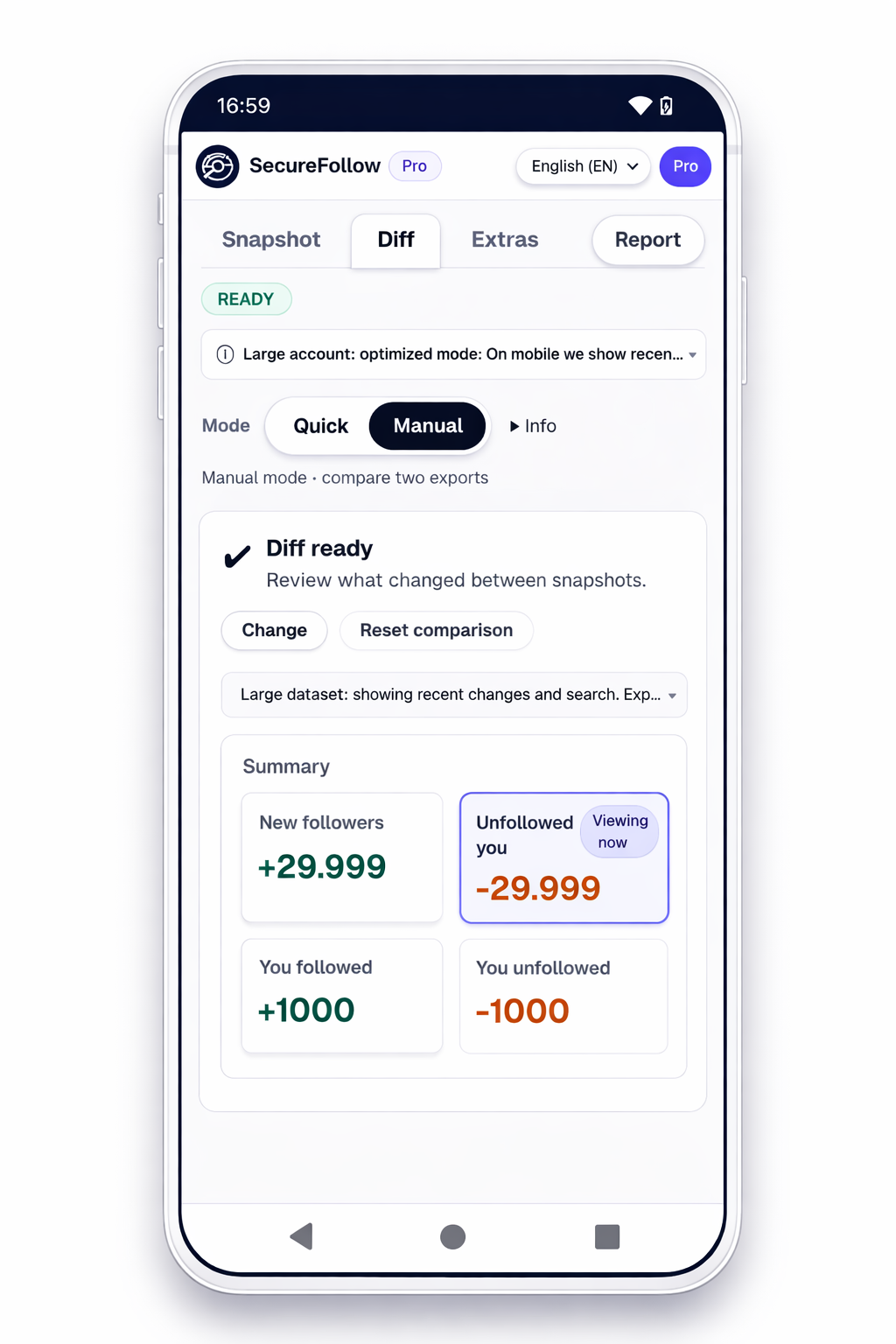
Diff compares two exports and highlights what changed.
- Compare two exports (Before/After) to see changes between dates.
- Direct summaries: new followers and unfollowers.
- Great for: seeing what changed between two dates (week, month, campaign...).
Want history, backups, and trends? See Pro →
Free vs Pro
Free for quick checks. Pro is a one-time purchase (no subscription).
Free
- Quick Diff using your latest saved snapshot
- Manual compare two ZIPs
- No history, trends, backups, or full exports
Pro
One-time payment- Snapshot history (open without re-uploading ZIPs)
- Saved diffs (compare any two snapshots)
- Notes & tags per saved snapshot + filter by tag
- Weekly trends (4/8/12 weeks) + CSV export
- Pro exports: full CSV + per-tab CSV (snapshots & diffs)
- Backup/restore + batch import multiple ZIPs
Do I need to share my Instagram password?
No. SecureFollow never asks for your password. You use the official Instagram export.
Can Instagram action-block me for using unfollower apps?
Many third-party apps log in and automate actions, which can trigger action blocks. SecureFollow doesn’t log in or automate actions. Learn more.
Do you upload my export or data?
No. The analysis runs locally in your browser. We don’t upload your ZIP or lists.
What exactly do I need to download?
Your official Instagram export (ZIP) from Accounts Center, then open it in SecureFollow. See the download guide.
Is SecureFollow affiliated with Instagram/Meta?
No. We’re an independent tool: not sponsored or approved, and we don’t access your account. We only analyze the official ZIP you download. Trademarks belong to their owners.
Can I search without knowing the exact @?
Yes. Type 3+ characters to see matches. Tap one to jump to the result and view it in context.